Platform/Booking & scheduling
02 / Booking & scheduling

Customers book online. Your team has the details.

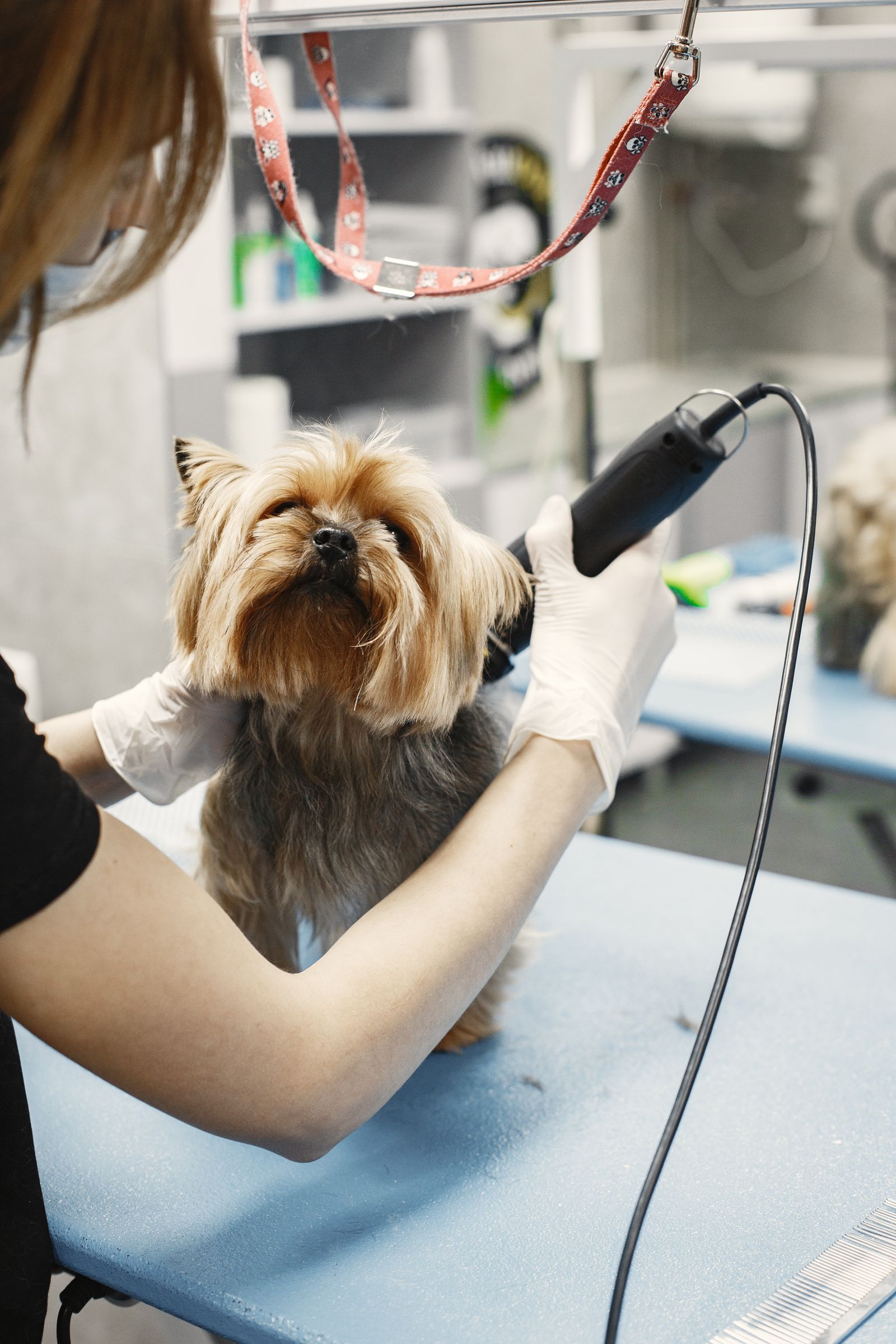
For pet businesses in New Zealand, let customers choose a service, pet, and open time on your website. The booking arrives in PetOS with the schedule, staff, price, and payment status together.

Online bookings are available at least 24 hours ahead. Your team can handle same-day requests and walk-ins in PetOS.

pawandco.petos.com / booking
Paw & Co. · Book a serviceEN 繁體中文
STEP 1 OF 3 · CHOOSE A SERVICE

What can we help with?

Select a service to see available appointment times.

Bath and brush serviceBath & brush60 min · From NZ$62✓
Style and trim serviceStyle & trim90 min · From NZ$84
Choose a petMilo
October 2026← →
MTWTFSS2829301234567891011

Available times · Fri, Oct 9

9:30 AM11:00 AM1:30 PM2:30 PM
Continue to booking details →
Flexible scheduling

Three ways customers choose a time

From a grooming appointment to daycare or an overnight stay, the date picker fits the service.

01 / TIME SLOT

Grooming appointment

Choose an open start time for a service with a set duration.

Bath & brush · MiloFriday, 9 October
Choose an available time
9:30 AM11:00 AM1:30 PM
Selected appointment11:00 AM – 12:00 PM
Customer picks a start timePetOS tracks duration & staff

02 / FULL DAY

Daycare

Choose one date for a service that lasts the whole day.

Daycare · MiloOctober 2026
Choose a day
THU8FRI9SAT10
Selected dayFriday, 9 October · Full day
Customer picks one datePetOS tracks daily capacity
03 / MULTI-DAY

Overnight stay

Choose arrival and departure dates for a stay across days.

Overnight stay · MiloOctober 2026
Choose check-in and check-out
FRI9SAT10SUN11MON12
Selected stay9–12 October · 3 nights
Customer picks two datesPetOS tracks nights & capacity
From customer choice to team record

One simple booking, ready for your team

Customers choose a service, pet, and available time on your website. After they book, the details appear together in PetOS.

1
Customer chooses a service and petShow the duration and starting price up front.
2
Customer picks an open timeOnly times allowed by your availability settings appear.
3
Your team sees the booking in PetOSCustomer, pet, staff, charges, and payment status stay in one record.
PETOS WORKSPACE · OCT 9, 2026 · 11:00 AMNew booking · Bath & brush
Deposit paid
CustomerJamie Chen
Pet
Milo, a Shiba InuMilo · Shiba Inu
Assigned staff
Alex Morgan
Schedule11:00 AM · 60 min
Service & optionsPrice
Bath & brushStaff: Alex MorganNZ$62
Extra brushing time15 minutesNZ$9
TotalNZ$70
Booking tools in action

See how each part of booking works

Explore the customer journey, flexible service details, pricing, payment, and availability.

Booking flow

Book in a few clear steps

Customers choose a service, pet, and available time step by step, then review the details before confirming.

Bilingual services

One service, two languages

Show service names and descriptions in English and Traditional Chinese, so customers can book in the language they prefer.

Multi-service bookings

Keep pets and services together

Add more than one pet or service to a booking, with each service’s price, duration, and assigned staff kept clear.

Service pricing

Show the total as options change

Show the starting price, then update the total as customers choose add-ons, extra time, or other available charges.

Payment options

Choose how customers pay

Let customers choose full payment or a deposit at checkout, with pay later available when your business enables it.

Availability settings

Keep open times truly open

Set working hours and capacity, then block team, service, or staff times so customers only see slots they can book.

Before bookings come in

Set it up in three clear steps

Add a service, choose when customers can book, and set how they pay. These illustrative settings show what your team controls in PetOS.

01 / SERVICE DETAILS

Start with one service

Enter its name, duration, and price. Add extra time or another option only when you need it.

PetOS / ServicesBath & brush Active
Service nameBath & brush
Duration60 minutes
Starting priceNZ$62
Online bookingOn ✓
Optional add-on Extra brushing · 15 min+ NZ$9
Customers see the service details before choosing a time.
02 / AVAILABILITY

Choose the times you offer

Set working hours and capacity. Block a time when your team is unavailable; customers see only open slots.

PetOS / AvailabilityFriday, 9 October Open
Working hours9:00 AM – 5:00 PM
Assigned staffAlex Morgan
Team schedule Open Blocked
Blocked times disappear from the public booking page.
03 / PAYMENT

Pick how customers pay

Offer full payment or a deposit. Enable pay later when it fits your business.

PetOS / PaymentBooking payment Saved
Pay in fullNZ$70
Pay a depositNZ$18 now
Pay laterOptional
The booking record shows what was paid and what remains.
Examples by business type

Booking details that fit the work

See how the booking flow supports the services, schedules, and pricing each business uses.

Business example / grooming salon

Set up each grooming service

List service prices and durations, then add extra time or extra-pet charges when needed.

Services / Bath & brushService setup
Bath & brushCustomer-facing service details
Edit service
Duration60 minutes
Starting priceNZ$62
Extra timeAvailable
Extra brushing timeAdd-on
Extra-pet chargeOptional fee
Service setupSet the description, duration, and price.
Pricing optionsAdd extra time or extra-pet charges.
Booking & scheduling

Set up bookings for your business

See how booking fits your business, or explore the rest of PetOS.

Explore your business type Explore PetOS capabilities